Cloudflare Firewall Events: Reading Logs to Explain Unexpected Blocks with CloudBypass API
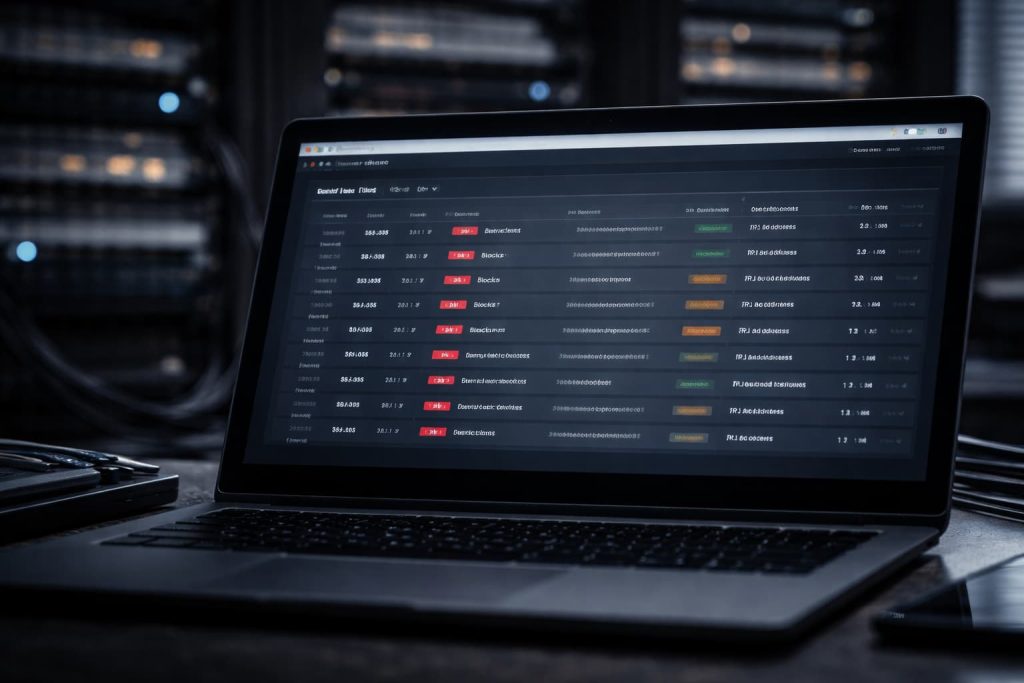
When traffic is blocked “for no reason,” the fastest way out is rarely guesswork in code. It is the firewall event trail. Cloudflare’s firewall decisions leave a footprint: which rule evaluated the request, what action was taken, and which attributes contributed to the match. If you can connect a block to a specific rule family and a specific request attribute, you can fix the cause instead of chasing symptoms like random header tweaks, delays, or endless proxy rotation.
This article shows how to read Cloudflare Firewall Events as a decision trace, how to isolate triggers quickly, and how to validate fixes under real production conditions. It also explains where CloudBypass API fits when the root problem is drift: inconsistent request shape, fragmented sessions, or retry bursts that make logs noisy.
1. What “Unexpected Block” Usually Means in Cloudflare Logs
Most teams interpret an unexpected block as “Cloudflare misclassified us.” Sometimes that’s true, but more often the block aligns with a rule you did not realize you were triggering. The firewall does not need to understand your business logic; it only needs to match patterns correlated with abuse.
Common outcomes in firewall events:
- Blocked: request denied at the edge.
- Managed Challenge / JS Challenge: friction increased rather than a hard deny.
- Log / Bypass / Allow: matched a condition but was permitted.
Treat the event record as an explanation artifact: which rule fired, which inputs were evaluated, and whether the action came from a managed ruleset, a custom rule, rate/behavior logic, or another security layer.
2. The Fields That Matter Most When Triaging Blocks
You do not need every column. Focus on the fields that explain “what happened” and “why.”
2.1 Rule Identity and Action
Start with:
- Rule name / ID.
- Action (block, challenge, log, skip).
- Source (custom rule vs managed ruleset vs WAF managed rules).
This tells you whether the fix is in your control (custom rules) or requires managed rules tuning or narrow exceptions.
2.2 Matched Attributes: What the Rule Actually “Saw”
Most blocks map to one attribute family:
- URI path and query parameters.
- Request method and content-type.
- Headers (unusual, missing, or anomalous values).
- User-Agent / Accept-Language / encoding negotiation.
- Cookie presence and size characteristics.
- IP / ASN / country / region context.
Identify the implicated family, then reproduce with controlled changes.
2.3 Correlation Clues: Is It One Route or All Routes?
Two clustering patterns matter:
- Endpoint clustering: only certain paths trigger the block.
- Egress clustering: only certain IPs, ASNs, or regions see the block.
Endpoint clustering usually points to payload/signature issues. Egress clustering often points to reputation or route-quality issues that lower tolerance and amplify borderline matches.
3. Common False-Positive Families and Practical Fixes
3.1 Injection-Like Strings in Queries or JSON
Search and filter inputs can resemble signatures. Long query strings or raw user-entered strings can unintentionally match SQLi/XSS patterns.
Fixes that usually stick:
- Normalize/encode inputs consistently.
- Move complex filters from query strings into JSON bodies where possible.
- Avoid sending raw strings that look like code fragments.
3.2 Scanner-Like Behavior From Retries and Enumeration
Even harmless requests can look like scanning:
- High 404 rate.
- Many distinct paths probed quickly.
- Immediate retry loops after partial outputs.
Fixes:
- Bound retries per task and per stage.
- Add realistic backoff spacing.
- Avoid wide endpoint enumeration within one session.
- Treat “200 but incomplete” as a classified failure, not a tight-retry trigger.
3.3 Header and Variant Drift Across Workers
A frequent “it only fails sometimes” cause is inconsistent request shape:
- Accept-Language differs across machines.
- Compression negotiation changes between runs.
- Proxies inject or remove headers.
- Optional headers appear intermittently.
Fixes:
- Standardize header sets across workers.
- Stabilize locale and accept headers.
- Remove intermittent optional headers if you cannot keep them consistent.
- Normalize query parameter ordering and strip random tags.
3.4 Cookie-Driven Context Shifts
Cookies can flip a request into a personalized context and create variant drift, increasing retries and downstream blocking.
Fixes:
- Strip nonessential cookies unless required.
- Isolate session ownership (one task, one cookie jar).
- Expire state intentionally to avoid cookie bloat and anomalies.
4. A Fast, Repeatable Investigation Workflow
4.1 Step 1: Collect a Minimal “Block Packet”
For each blocked sample, record:
- Timestamp.
- Full URL (path + query).
- Method.
- Request headers you sent.
- Cookie presence.
- Egress identity (IP/provider/region, if you control it).
- Response code, and whether a challenge page appeared.
Then locate the matching firewall event and extract:
- Rule ID/name.
- Action.
- Matched field or reason (if provided).
- Attached context (IP/ASN/country, and any available signals).
4.2 Step 2: Reproduce With a Frozen Request Shape
Freeze the request:
- Stable User-Agent.
- Stable locale headers.
- Normalized query order.
- Remove random query tags.
- Minimal cookies unless required.
Replay the same request. If the block persists, you likely have a deterministic trigger. If it disappears, drift is the primary suspect.
4.3 Step 3: Isolate With Single-Variable Tests
Change only one variable at a time:
- Remove cookies.
- Binary search query params.
- Move filters into JSON body.
- Pin the route and compare egress paths.
5. Where CloudBypass API Helps
At scale, firewall logs get noisy because the “same job” is executed by different workers, different egress paths, different cookie state, and different retry posture. That makes attribution hard.
CloudBypass API reduces drift so events become interpretable:
- Task-level routing consistency, to keep workflows on one coherent path by default.
- Request state persistence, so cookies/tokens stay aligned across steps and retries.
- Budgeted retries and controlled switching, to prevent scanner-like density spikes.
- Route-quality awareness, to avoid high-friction paths systematically.
Cloudflare Firewall Events explain most “unexpected blocks” when you read them as a decision trace: which rule fired, which attribute family matched, and whether failures cluster by endpoint or by egress route. Freeze request shape, reproduce deterministically, isolate the trigger with single-variable tests, and validate fixes under long-run conditions with bounded retries and stable routing.