Why Cloudflare Verification Passes Once and Fails the Next Time
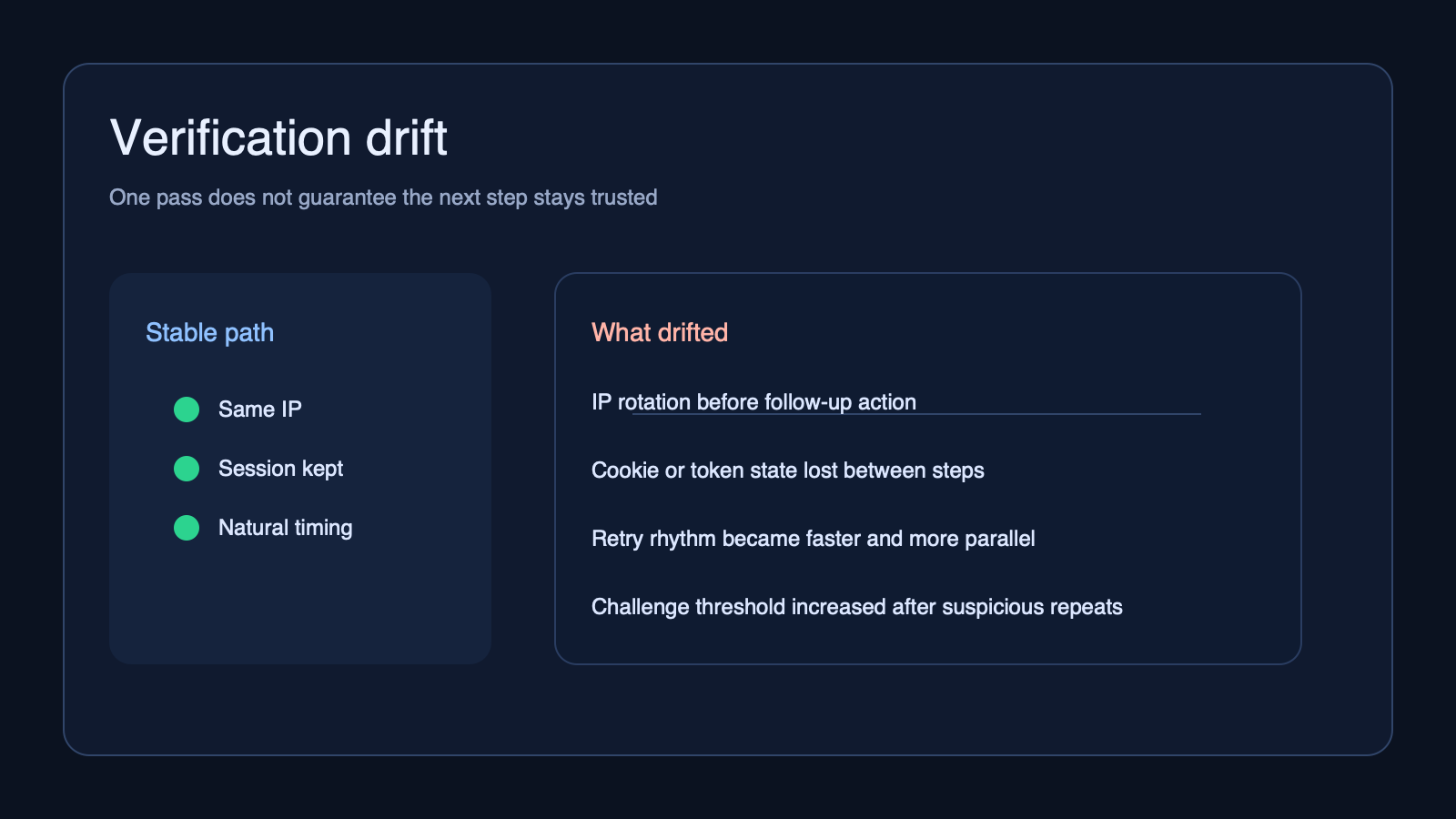
If Cloudflare verification passes once and fails the next time, the problem is usually not random. In most cases, something in the request context changed between attempts. That change may come from the IP, the browser state, the session pattern, or the site raising its challenge level after it sees a risk signal.
The fastest way to diagnose this is to stop thinking about the successful attempt and the failed attempt as identical. Start by separating what stayed consistent from what changed. If the browser environment was stable but the IP rotated, suspect the network layer first. If the IP stayed stable but the browser state was reset, suspect cookies, local storage, or fingerprint continuity.
If you are still trying to decide whether the failing layer is the browser or the proxy, this earlier guide on how to diagnose the right layer in a verification problem is the best first split.
What usually changes between the first pass and the next failure
When a protected site lets one request through and blocks the next one, the most common explanation is not that the site became inconsistent. It is that your access pattern stopped looking consistent.
- IP continuity changed. A rotating proxy may have swapped the exit IP between steps.
- Browser state changed. Cookies, storage, or the challenge token may not have been preserved.
- Request behavior changed. The second attempt may have been faster, more concurrent, or less human-looking.
- Challenge sensitivity increased. Some sites raise the verification threshold after suspicious repeats or abnormal navigation.
Cloudflare explains in its documentation that challenge and bot signals can depend on the broader request context, not just one isolated request. That is why the same destination can behave differently when the surrounding session pattern shifts.
Start by separating the IP layer from the browser layer
Do not change everything at once. Start by holding one layer steady while testing the other.
- If verification succeeds with one IP and fails after rotation, suspect the proxy, IP reputation, or session handoff.
- If the same IP behaves differently after clearing cookies or restarting the browser, suspect browser continuity.
- If both layers look stable but only automation fails, suspect timing, navigation flow, or script-visible signals.
The goal is not to guess. The goal is to isolate the failing layer. A lot of teams lose time because they reset the browser, switch the proxy, and change the request pattern in the same hour. That removes the evidence you actually need.
Why rotating too early can make verification less stable
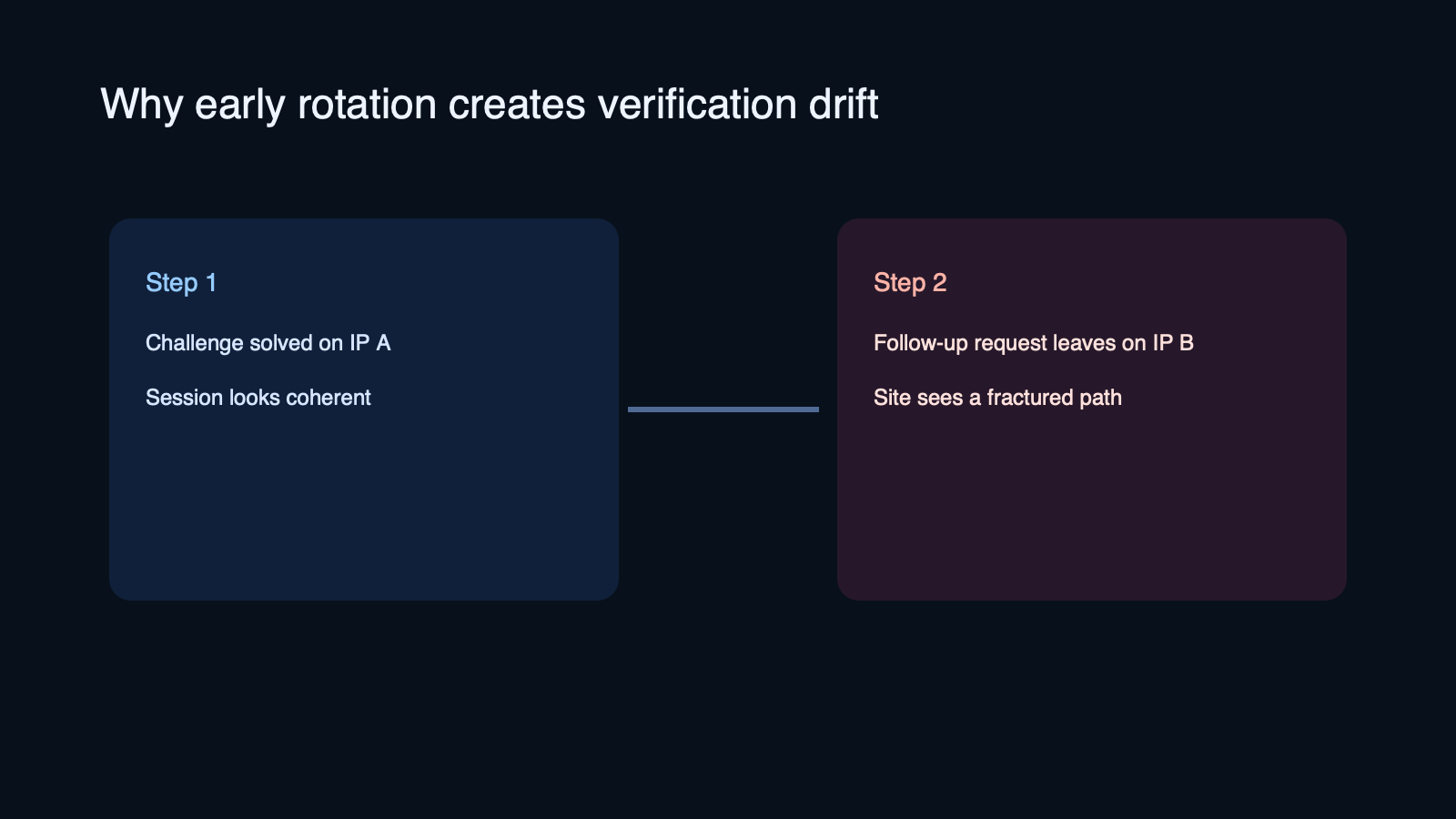
One common failure pattern is passing the first challenge on one IP, then sending the next page load or follow-up action through another IP too soon. From your side, the task looks continuous. From the site’s side, the context may look fractured.
This is especially common when a workflow uses aggressive rotation by default, or when different parts of the stack do not share the same exit route. A login page, challenge page, asset request, and follow-up action may all appear to come from different network identities.
If you see this pattern, try keeping the session stable for longer before rotating. In many cases, a more stable proxy path works better than a larger but noisier pool. CloudBypass workflows often perform better when the first objective is session continuity, not maximum rotation.
Browser resets can break a session even when the IP stays good
Teams often focus on the proxy and miss the browser state. But a good IP does not help much if the second attempt loses the cookies or challenge state created by the first one.
- Clearing cookies between retries can make every attempt look like a cold start.
- Launching a fresh browser profile can remove the continuity the first pass created.
- Changing automation flags, headers, or script timing between retries can alter the fingerprint enough to trigger another challenge.
MDN’s guidance on HTTP cookies is a useful reminder here: state is part of the conversation, not just a storage detail. If the server expects a continued session and that context disappears, the next request may be treated as less trustworthy.
Request rhythm matters more than many teams expect
Sometimes the IP stays stable and the browser state stays intact, but the request rhythm changes after the first pass. That alone can be enough to trigger a new challenge.
- Retries may happen too quickly.
- Parallel requests may spike right after a successful pass.
- Navigation order may become less natural after automation takes over.
- Background asset requests may differ from the first human-like load.
This is why “it worked once” is not a complete test result. A stable path has to survive the next step, the next page, and the next action. If repeated challenge loops are starting to appear, this guide on what repeated verification usually means can help you map the pattern faster.
What to check first when this keeps happening
- Check whether the exit IP changed between the successful step and the failed one.
- Check whether cookies and storage survived the transition.
- Check whether the navigation sequence changed after the first pass.
- Check whether retries became faster or more parallel on the second attempt.
- Check whether the target site behaves differently by route, not just by domain.
If one of those checks produces a clean difference, start there. If nothing changes, test a simpler controlled path with one stable browser profile and one stable proxy route before adding complexity back in.
When this points to a proxy choice problem
If the failure appears after IP rotation, inconsistent routing, or weak session continuity, the issue may be less about challenge mechanics and more about proxy fit. Some workflows need cleaner continuity and less fragmentation, especially on sites that raise the challenge level quickly.
That does not always mean you need a larger pool. Sometimes you need a steadier one. CloudBypass is most useful in this part of the process when you already know the browser layer is mostly intact and the remaining instability is coming from the access path.
FAQ
Why would Cloudflare verification pass once and fail immediately after
Because the site may have seen a different IP, a broken session, or a changed request pattern on the next step. The first pass only shows that one moment looked acceptable.
Does passing once prove the proxy is good
No. It only proves that one request path worked. A good proxy for protected sites also needs continuity across the next actions, not just a single successful page load.
Should I rotate the IP every time verification appears
Not automatically. If you rotate too early, you may break continuity and make the next attempt look less trustworthy. Diagnose the session pattern first.
Final takeaway
If Cloudflare verification passes once and fails the next time, assume a layer changed until proven otherwise. Start by separating the IP layer from the browser layer, then check state continuity and request rhythm. The cleaner way to solve this is not to keep retrying. It is to isolate the part of the workflow that drifts between attempts.